📖 PackLite HowTo
How to Create a New Trip in PackLite
Step-by-step guide to creating and planning your first trip.
What You Will Do
This guide walks you through creating a new trip and preparing your packing list. You'll learn how to name your trip, set dates, select destinations, and organize your gear for the adventure.
Before You Start
- You are logged in to PackLite.
- You have some gear items in your inventory.
Step 1 - Open Trips Page
Navigate to Trips to view your trips and start creating a new one.
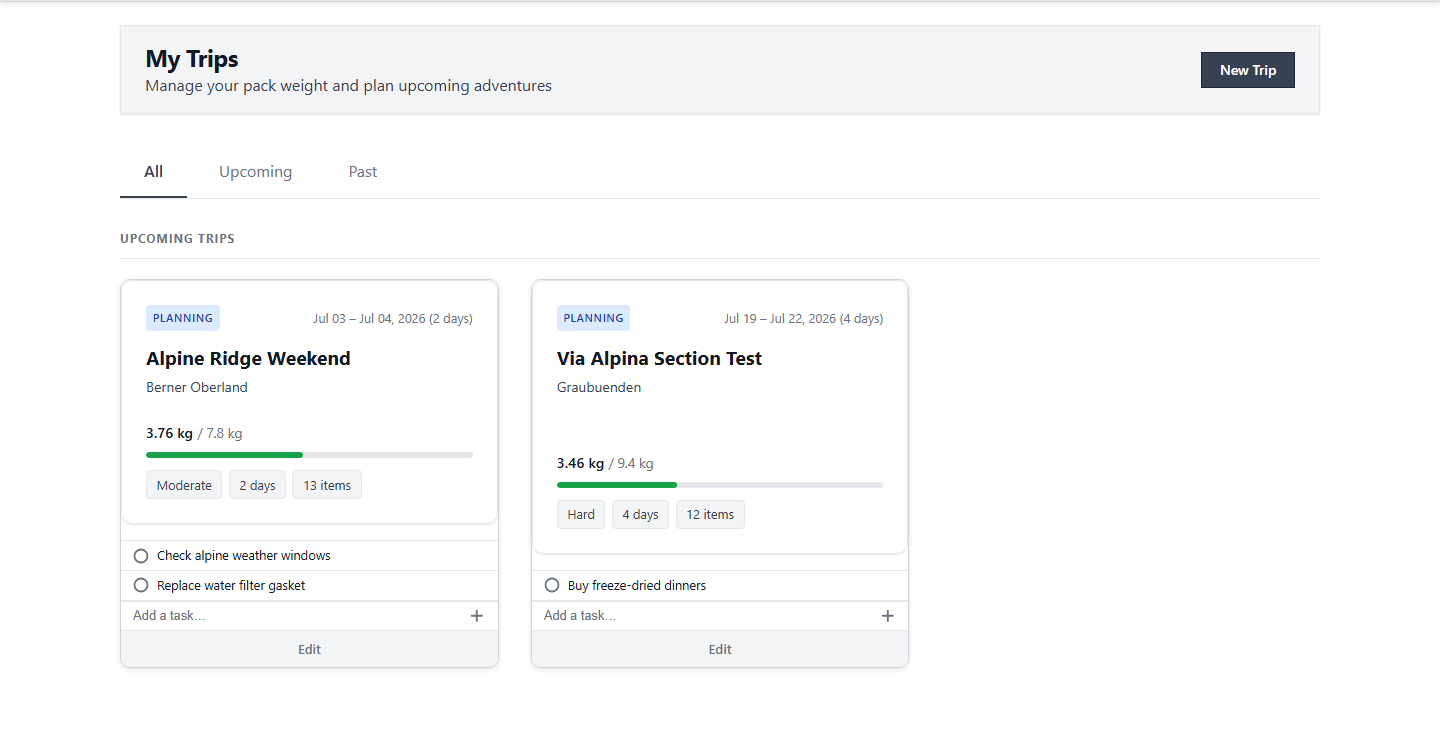
Tip: You can view all your trips and manage them from this page.
After Completion
- Your trip is now created and ready for planning.
- You can add gear items to your trip and adjust weights.
- Your trip appears in your trips list.
Troubleshooting
- Cannot see the New Trip button: Make sure you are logged in to PackLite.
- Trip name too long: Trip names can be up to 100 characters.