📖 PackLite HowTo
How to Manage Your User Settings in PackLite
Update your profile, preferences, and account information.
What You Will Do
This guide walks you through managing your user settings. You'll learn how to change your name, email, preferred weight units, language/locale, email preferences, and password.
Before You Start
- You are logged in to PackLite.
Step 1 - Open Your Profile Settings
Navigate to your user profile page to edit your settings.
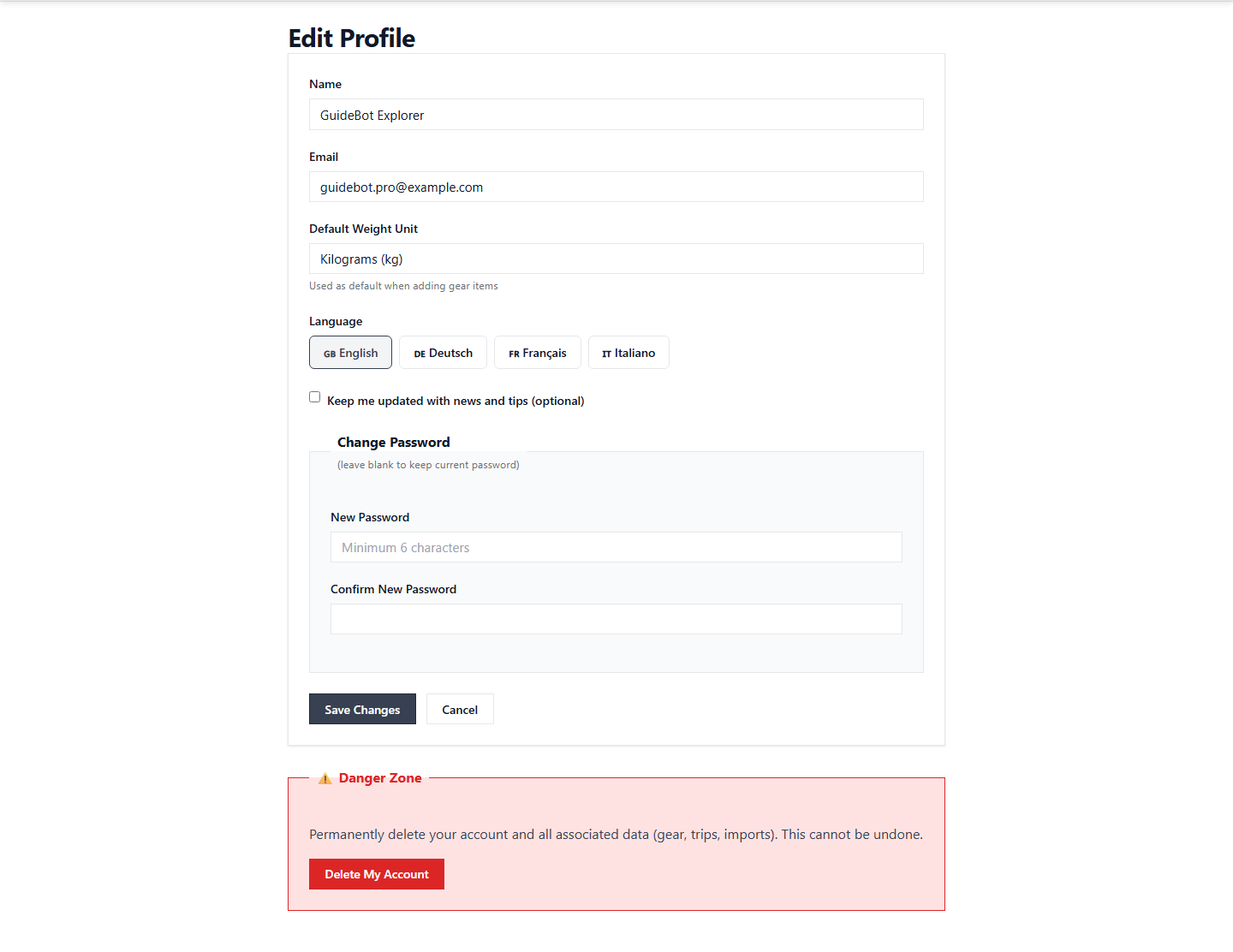
Tip: All your account settings are available on this page.
After Completion
- Your profile changes are saved.
- Your language/locale preference is applied immediately.
- Password changes take effect on your next login.
Troubleshooting
- Forgot password: Use the password reset option on the login page.
- Invalid email: Your email must be unique and valid.
- Newsletter changes not saved: Newsletter subscription changes are saved instantly.