PackLite HowTo
How to Manage Your Subscription and Billing in PackLite
Upgrade to Pro, manage your subscription, and access premium features.
What You Will Do
This guide walks you through managing your PackLite subscription. You'll learn about the difference between Free and Pro plans, how to upgrade, manage your payment method, access premium features, and cancel if needed.
Before You Start
- You are logged in to PackLite.
Step 1 - Open Billing Page
Navigate to Billing to view your subscription and upgrade options.
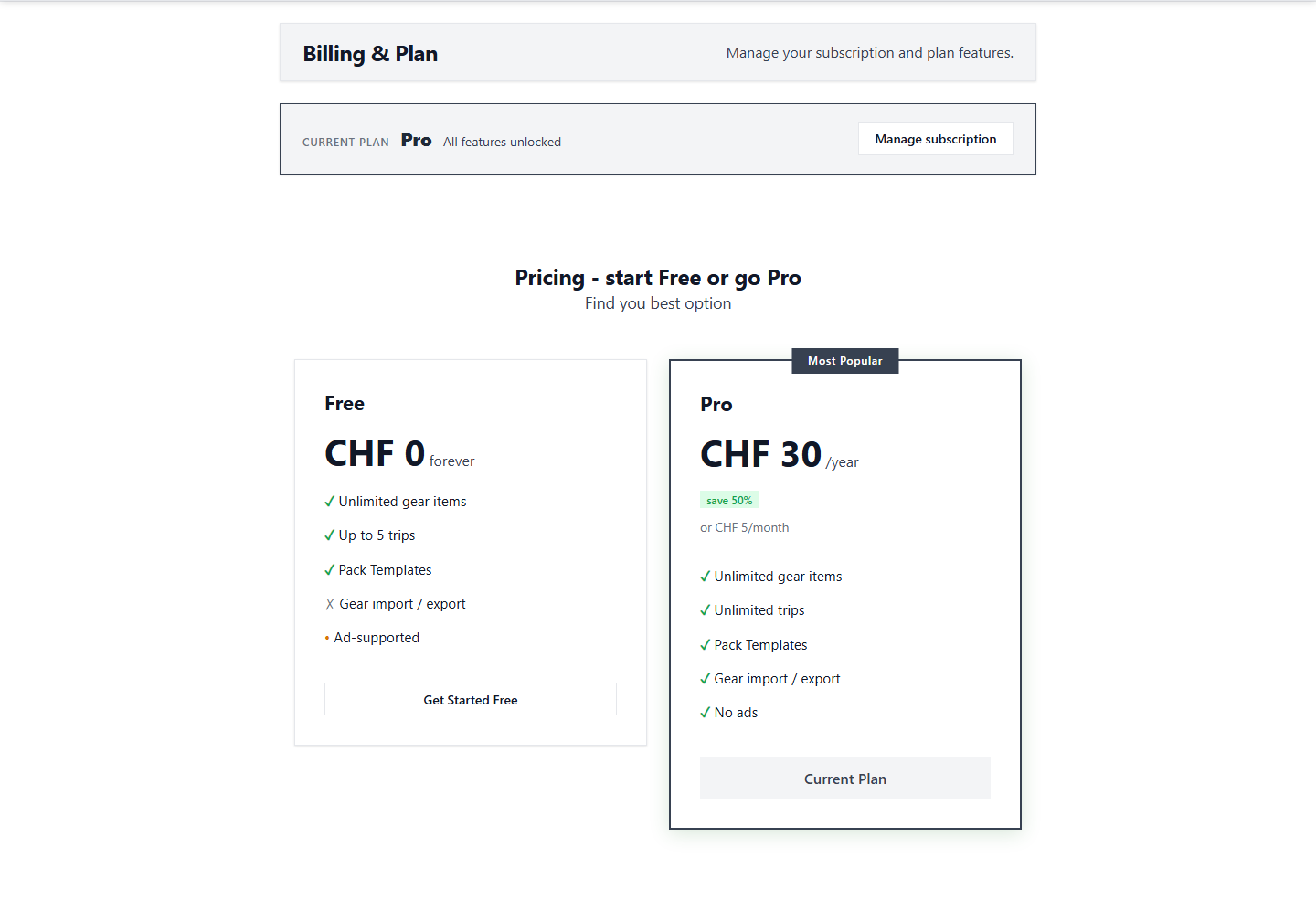
Tip: View your current plan and upgrade options here. All billing information is managed securely.
After Completion
- You can see your current subscription plan.
- You understand Pro vs Free features.
- You can upgrade to Pro whenever you're ready.
- You can manage your payment method and billing info.
Troubleshooting
- Free account limitations: Free accounts have unlimited gear items and trips.
- Need advanced features: Pro gives you advanced features for deeper analysis.
- Want to cancel: You can cancel anytime - no long-term contracts.
- Payment concerns: Payment is processed securely through Stripe.